Spren
A health app that uses body scanning to estimate body composition and help users move toward their goals.
Improved user engagement by 30% for the scan flow. Built a 360º profile overview that consolidates key health metrics. Strengthened visual consistency by refining the design system.
Scan preparation
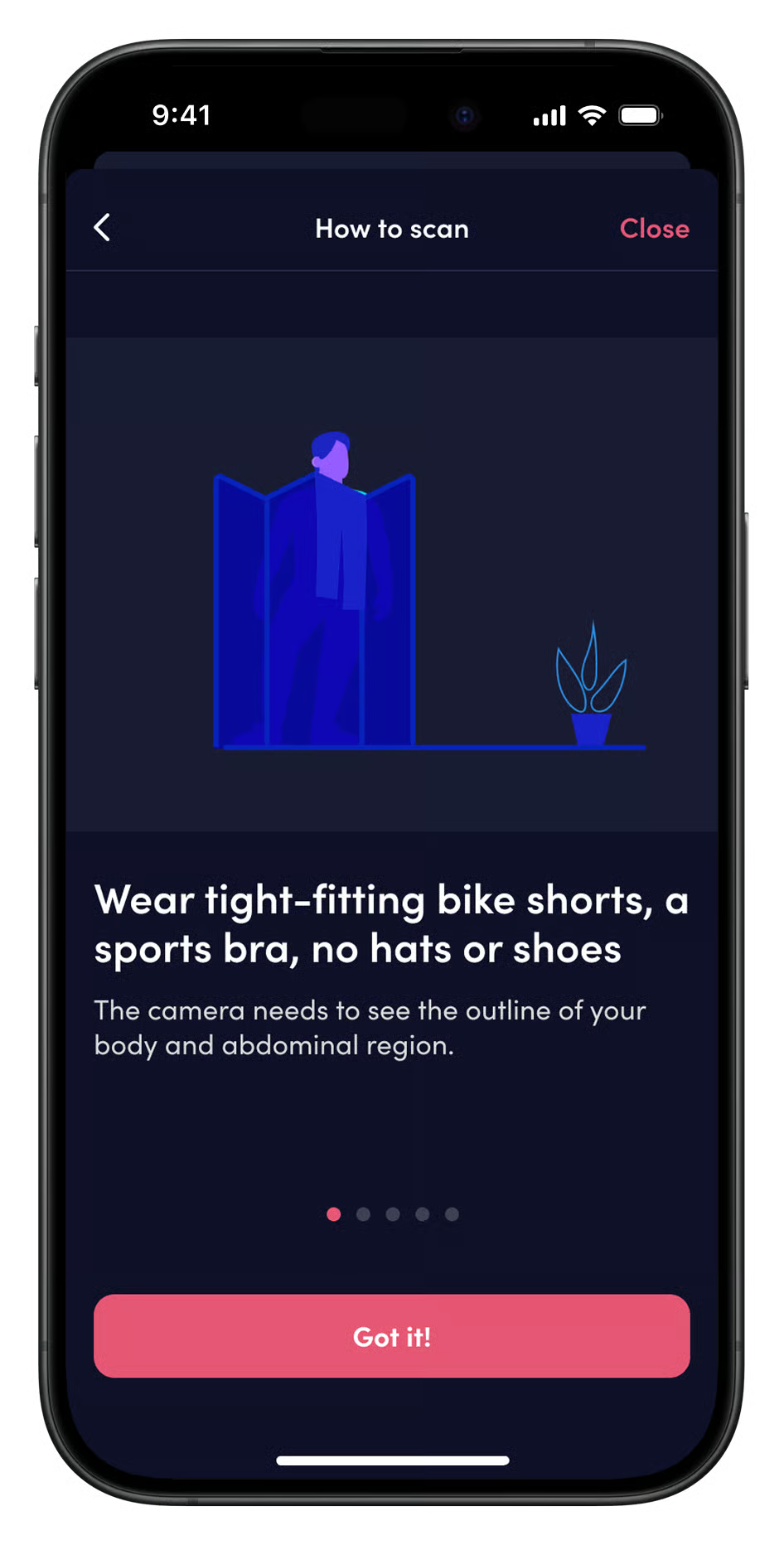
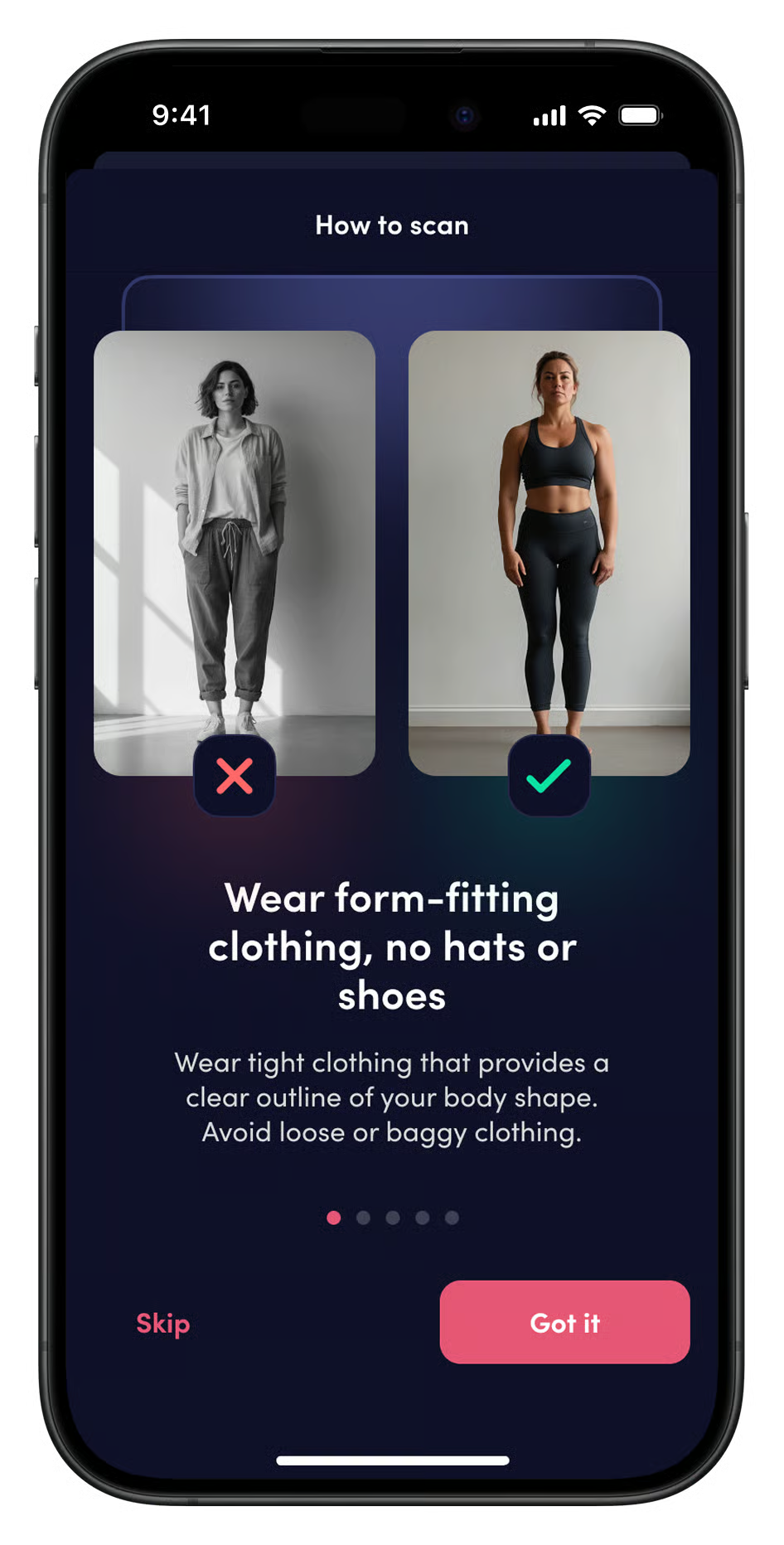
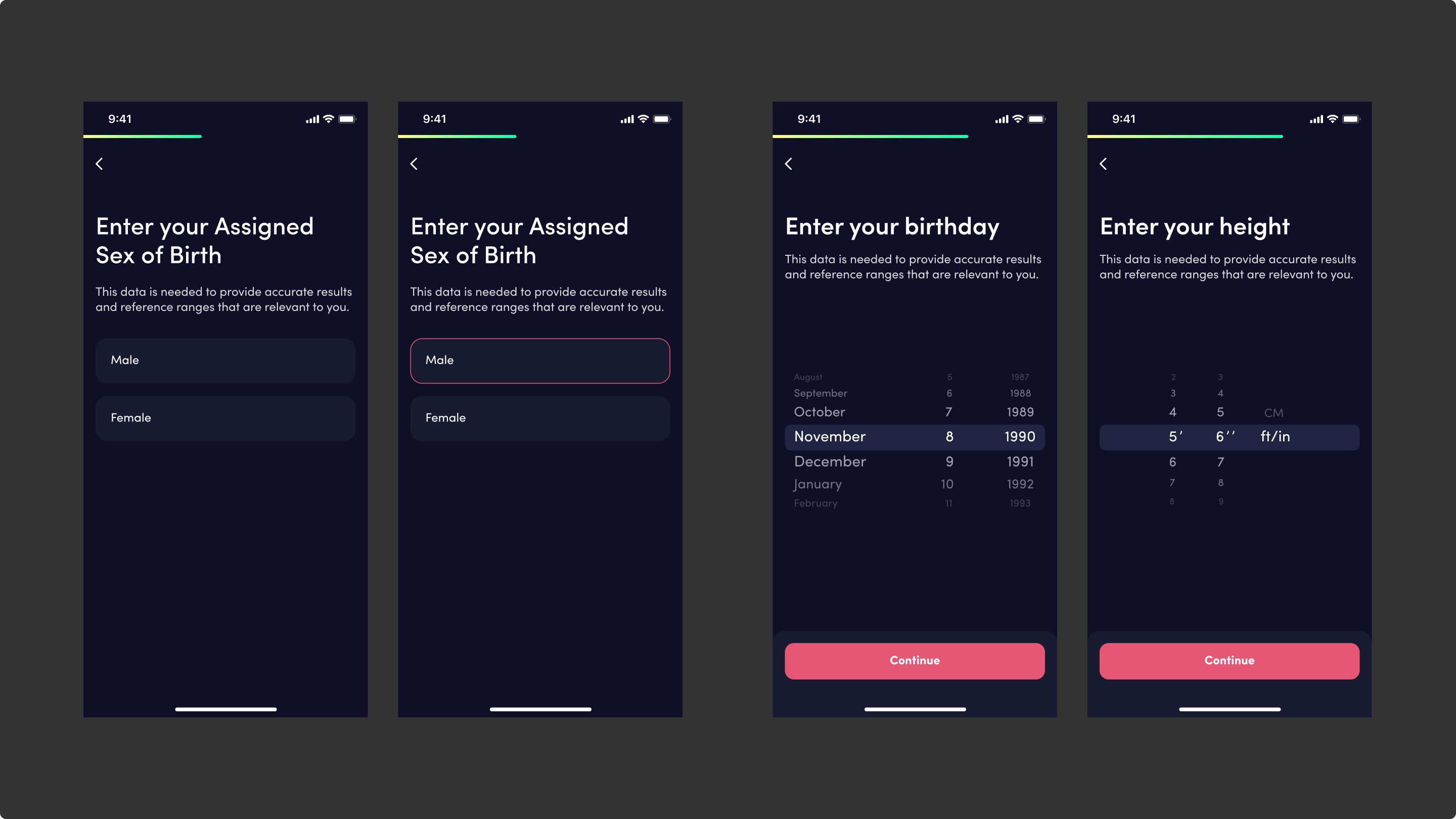
Before scanning, the user must enter the necessary parameters. Understanding the scanning guidelines, such as positioning and lighting, is also crucial.
Starting a scan
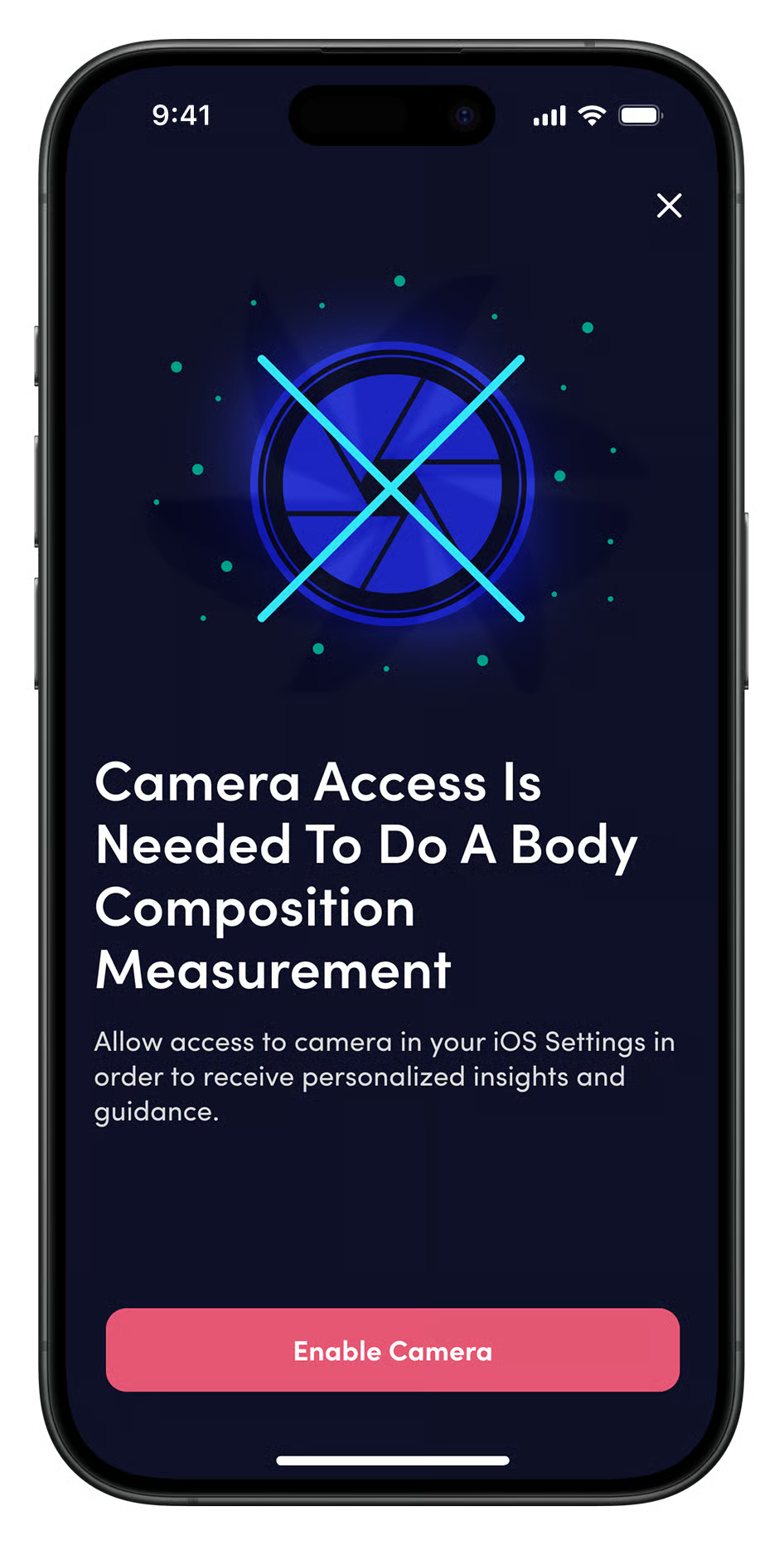
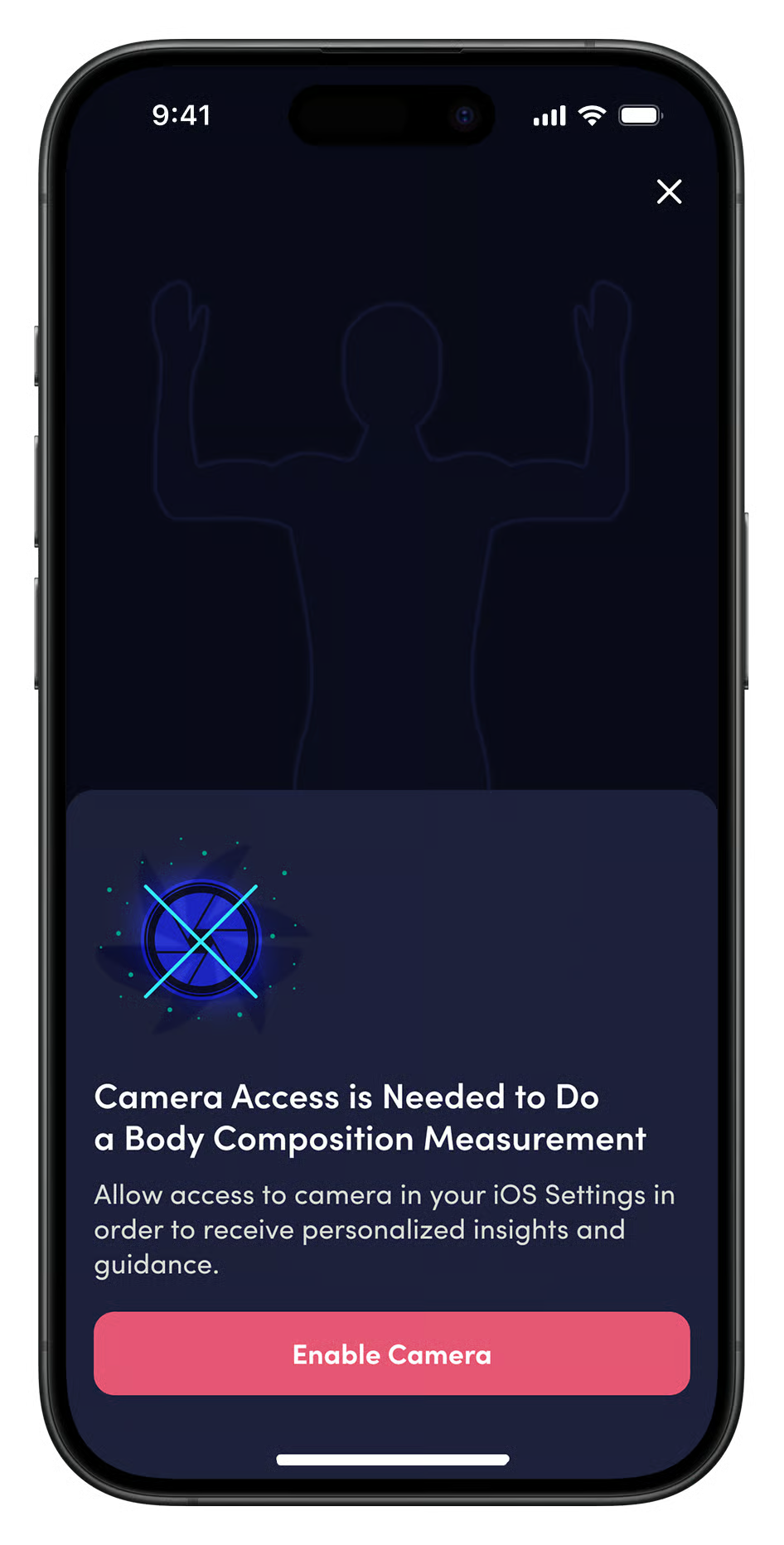
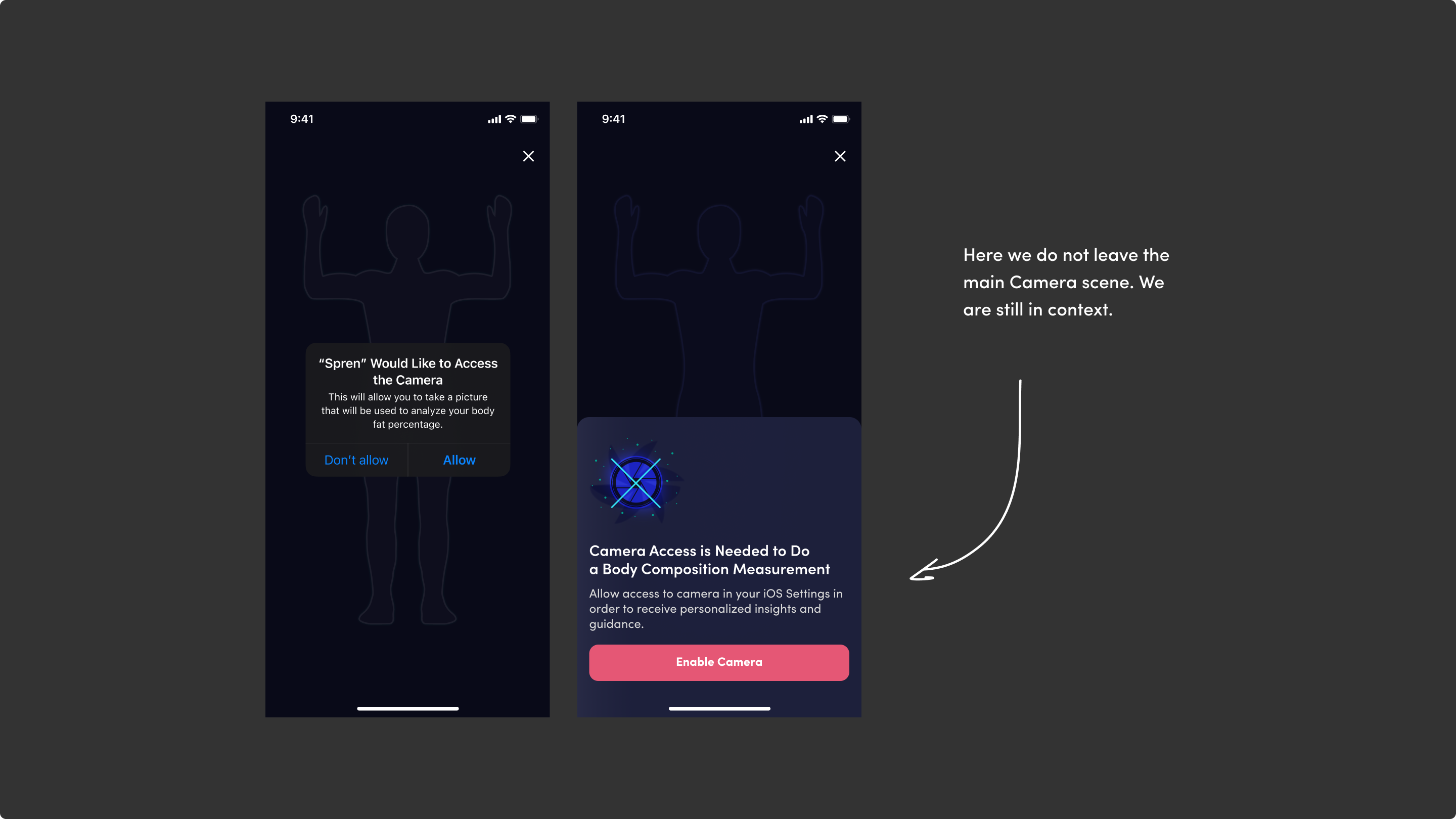
By displaying a person overlay on a black screen with camera access, we are already in the main scan scene, where only one action is needed to unlock it.
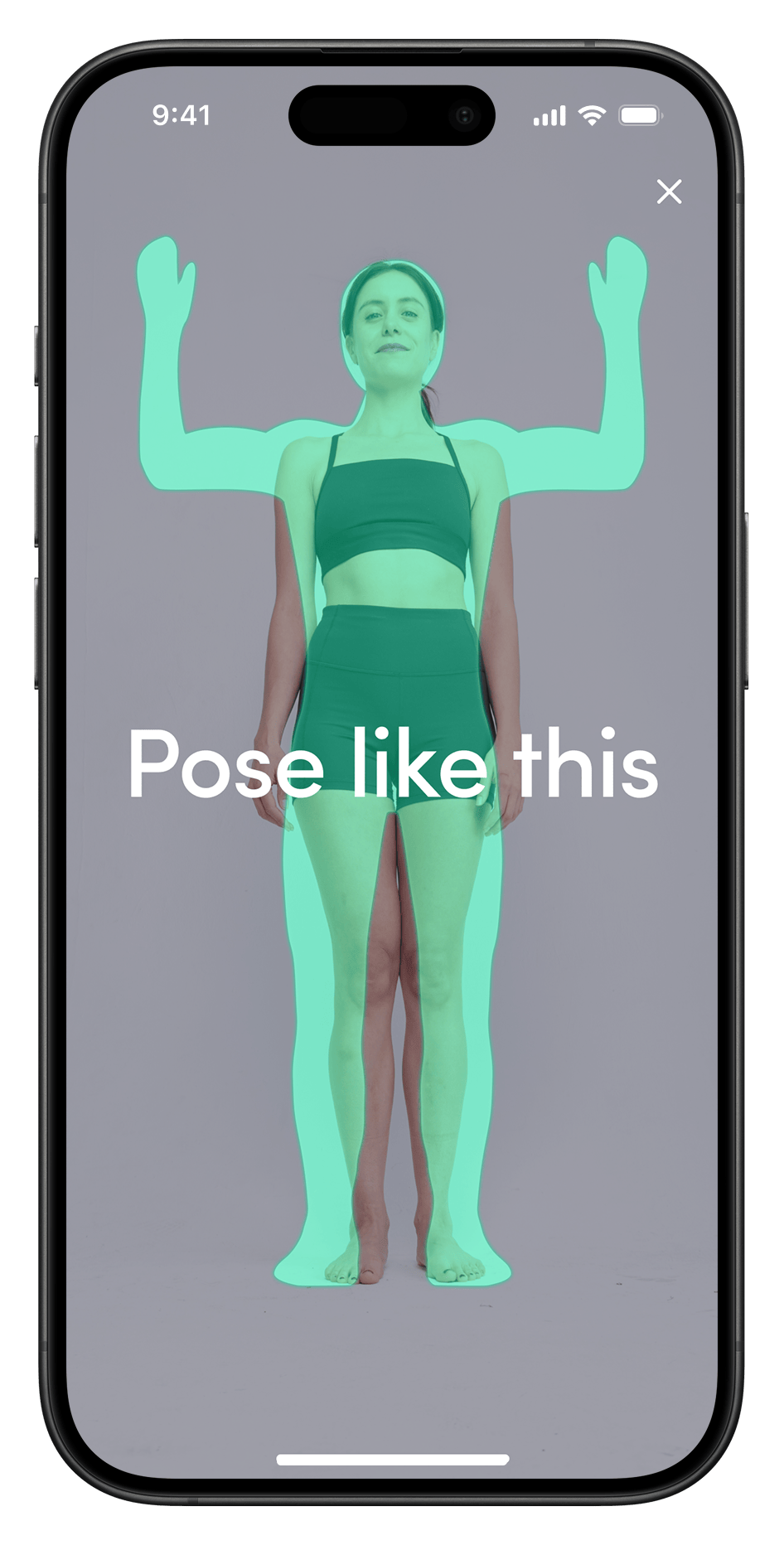
Posture guidance
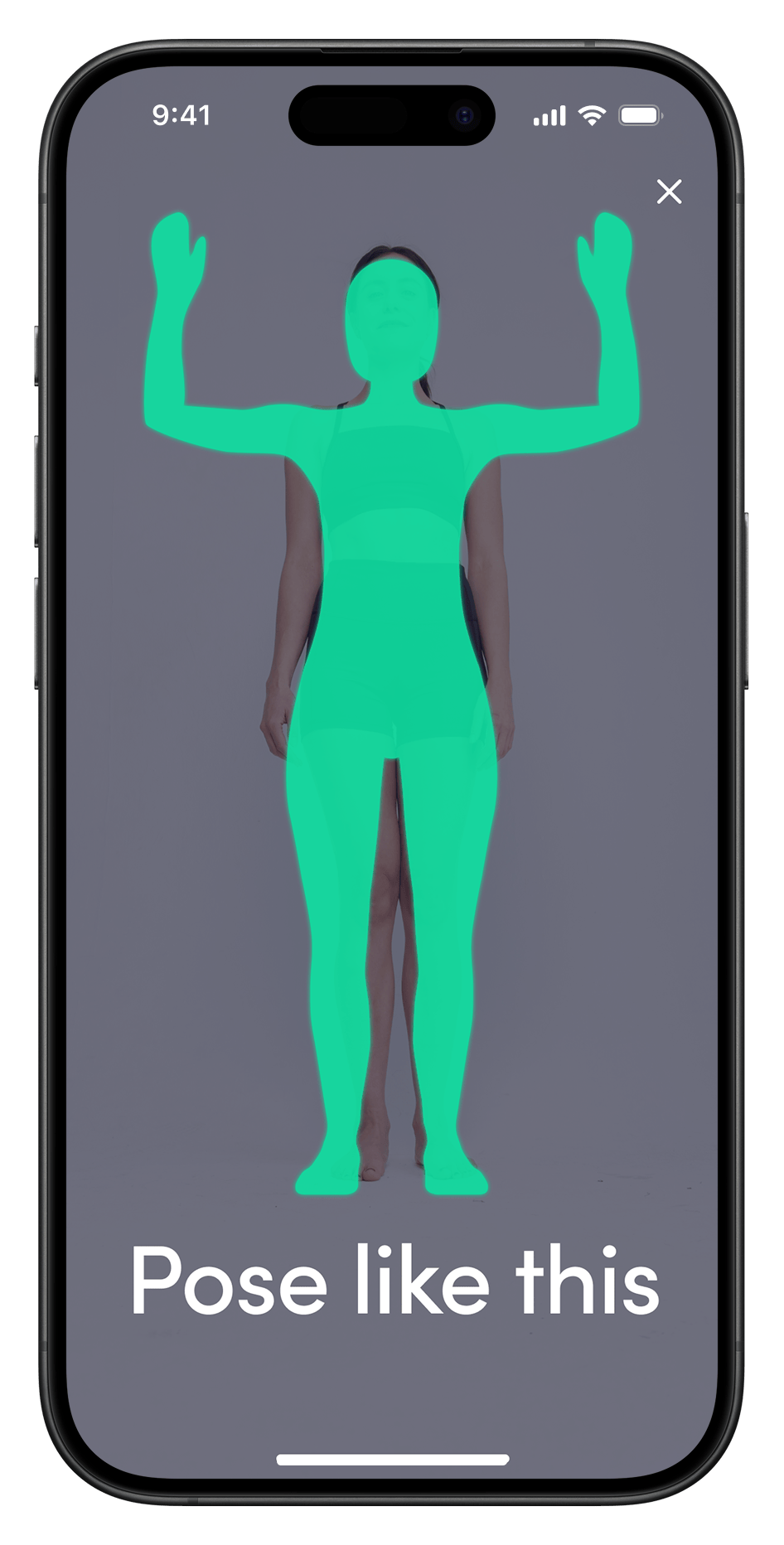
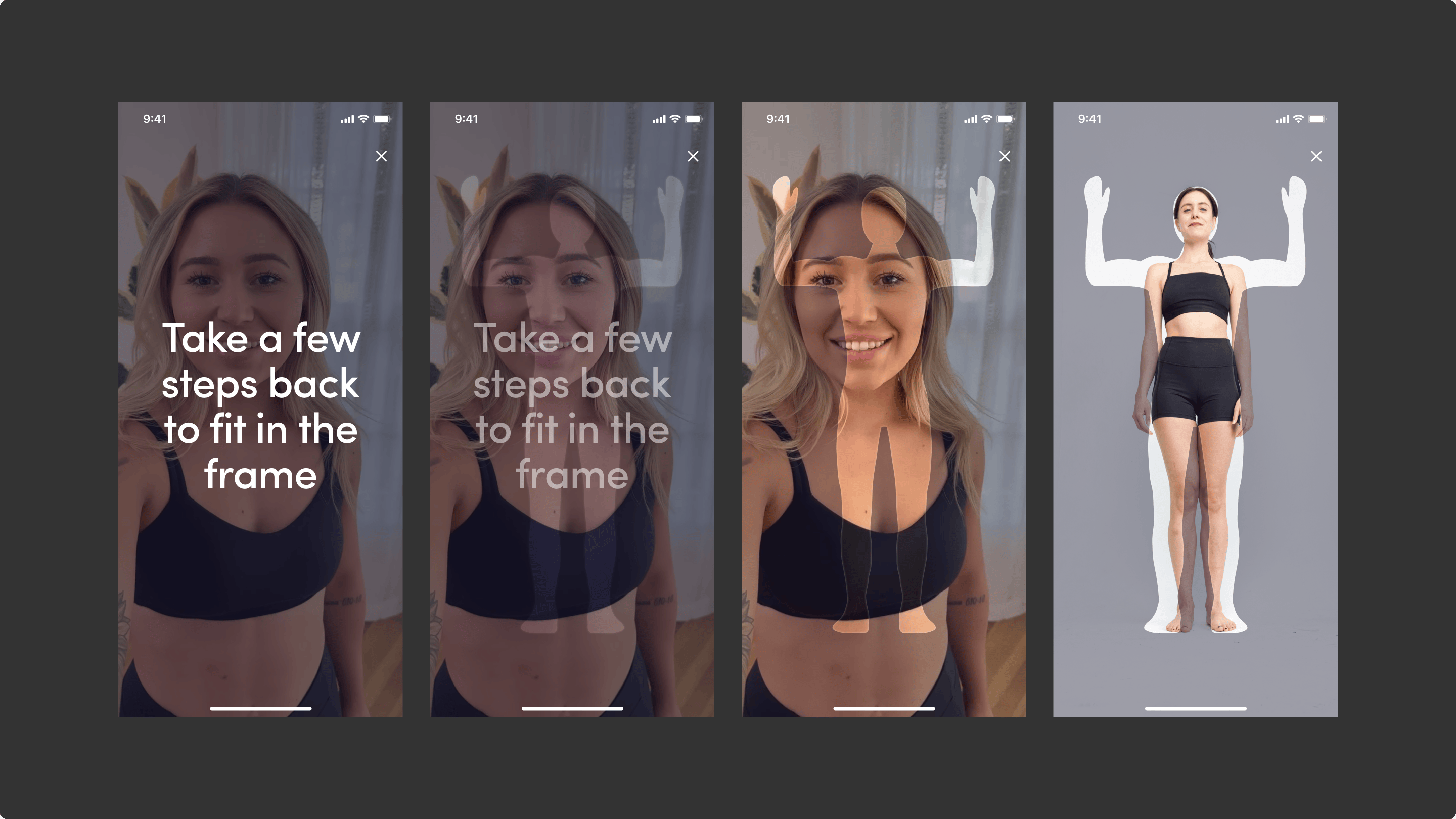
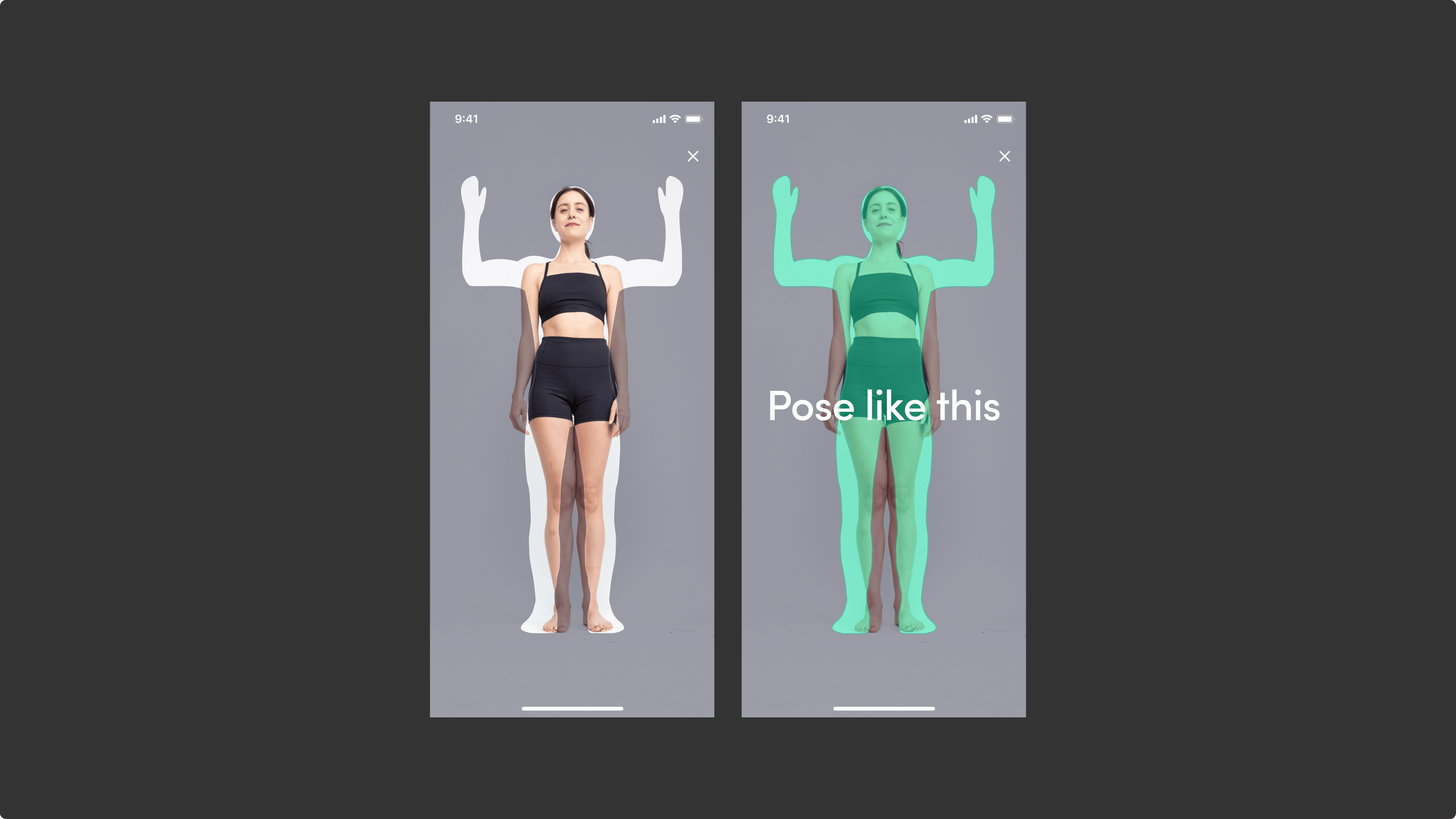
On this part of the scan process users tend to step back from phone and fit in the frame. There is no need to overlay the person with a solid posture example. Instead, make it half-opacity and apply a blend mode.
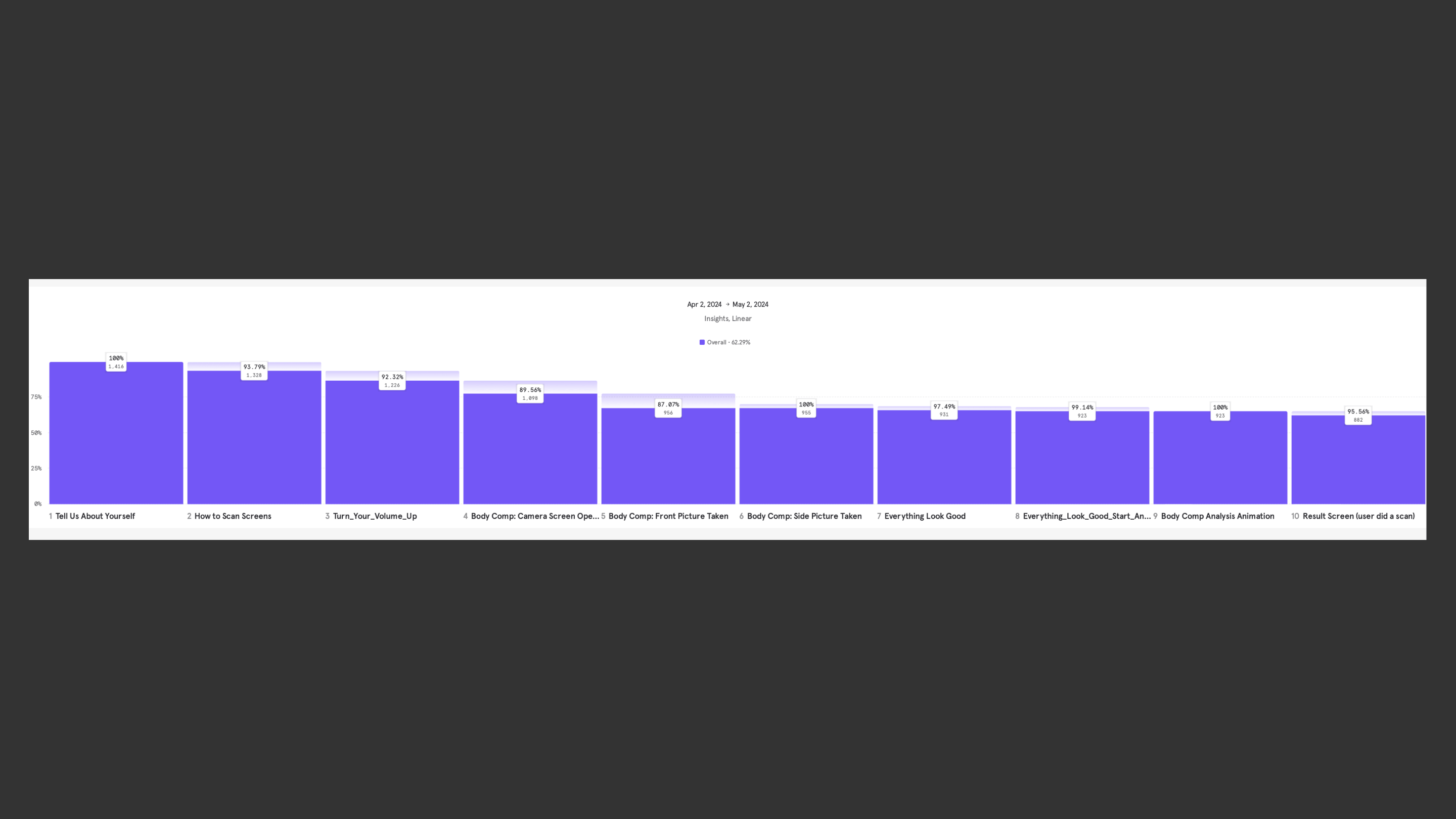
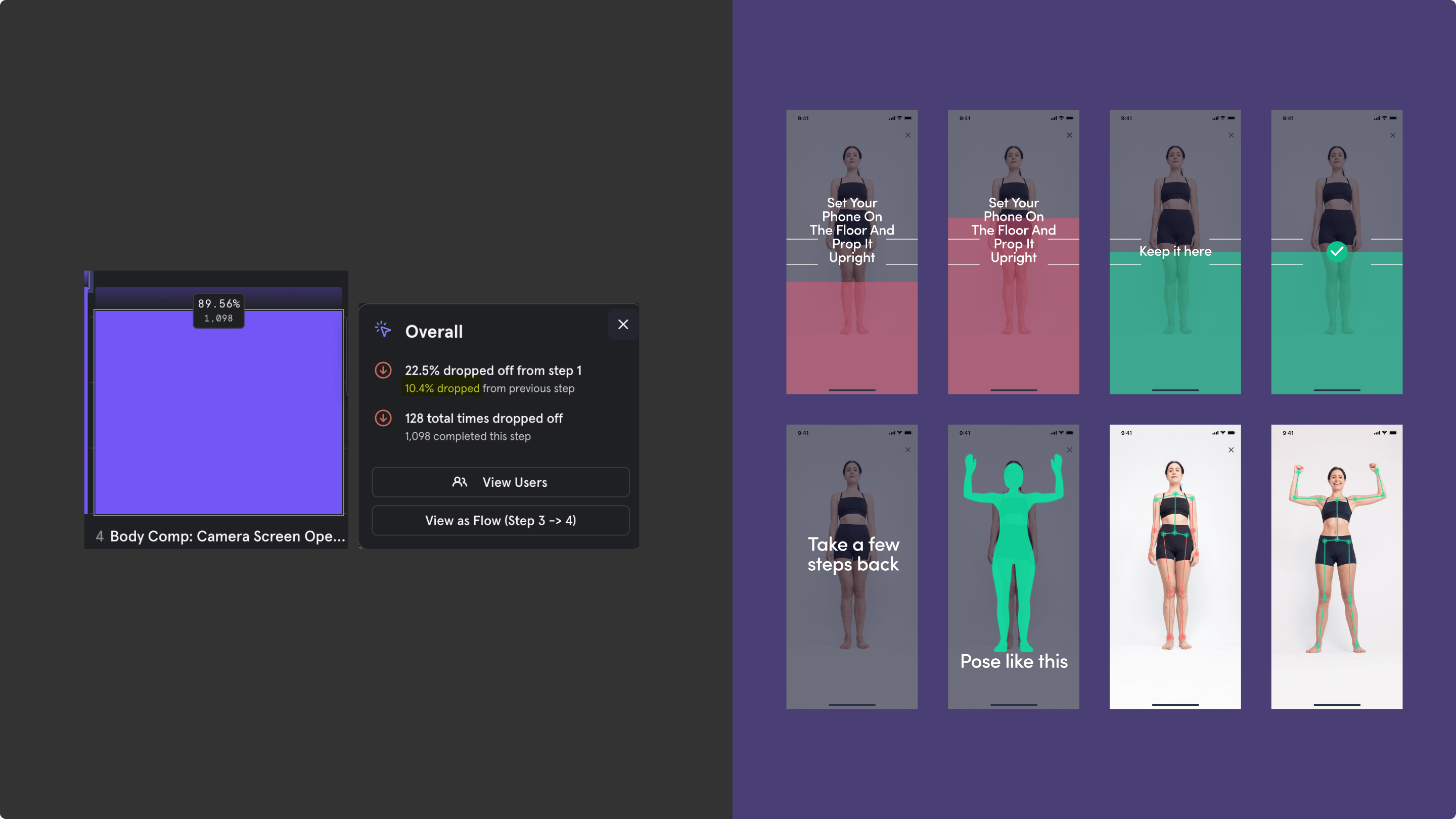
MixPanel report: Scan flow drop off
Before scanning, the user must enter the necessary parameters.
Understanding the scanning guidelines, such as positioning
and lighting, is also crucial. Guiding the user based
on scan results is a core feature of the app.
The stakeholders asked to improve the existing scanning process,
as they experienced a significant drop of during this flow.
Flow breakdown
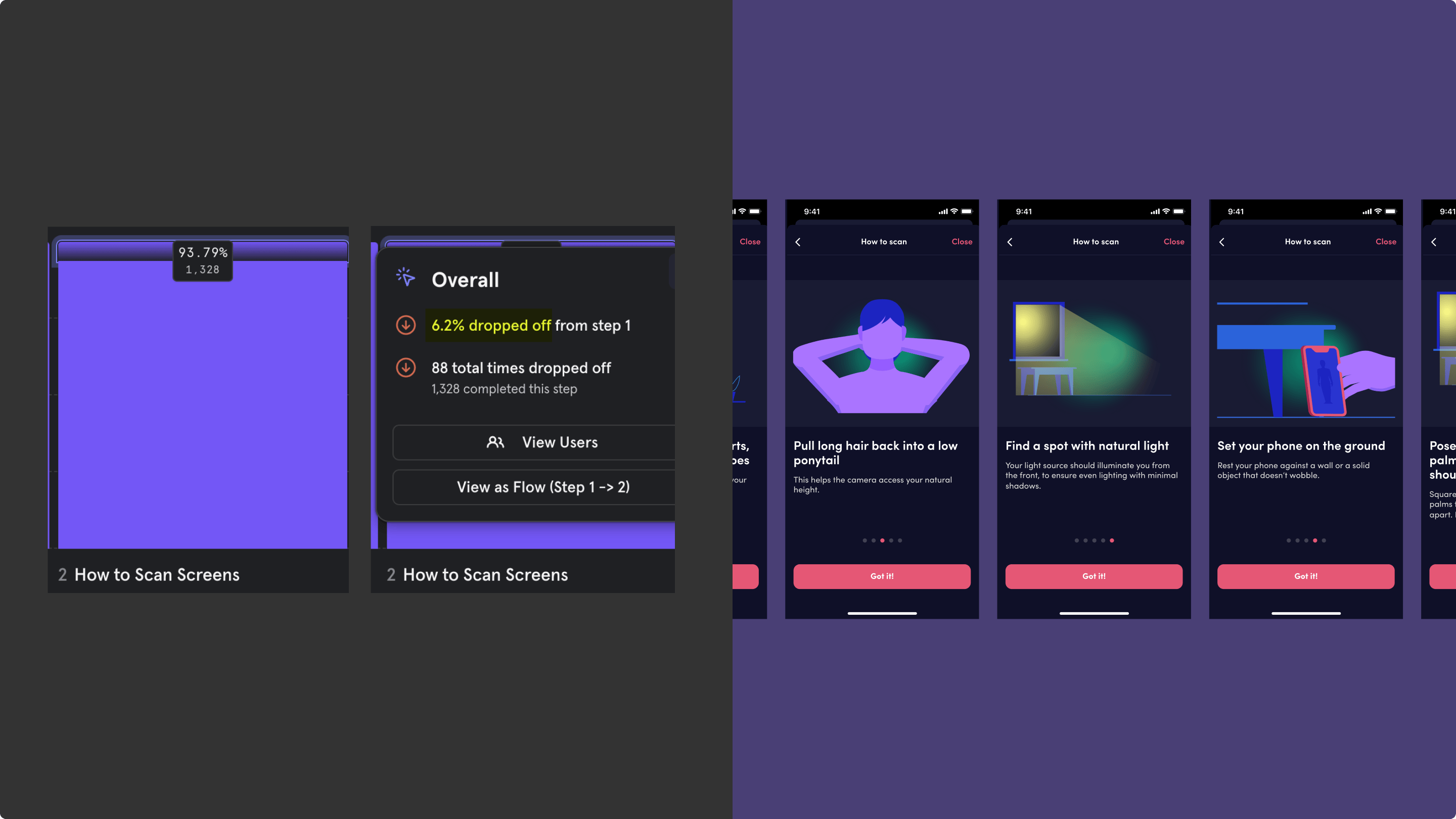
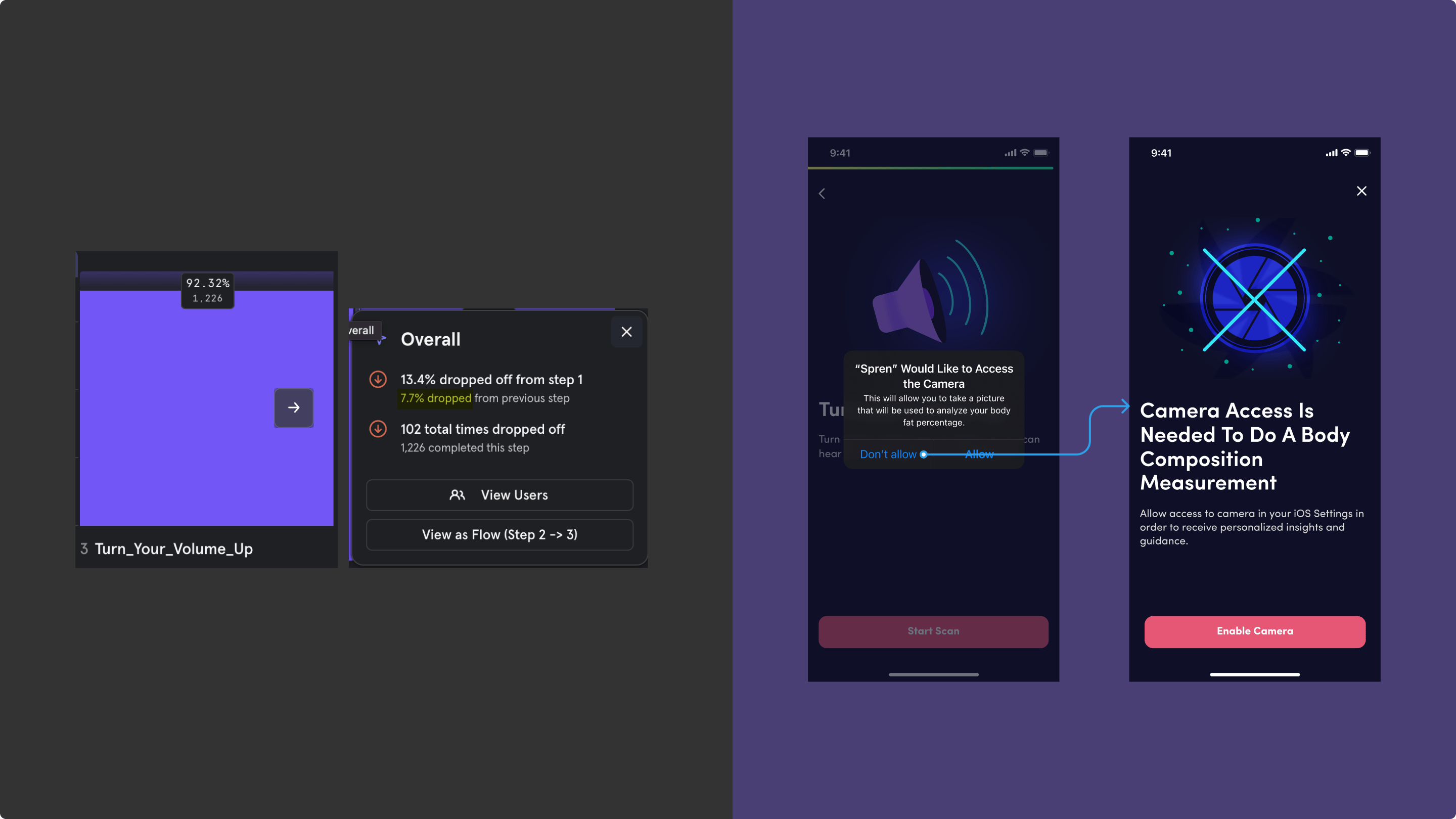
First of all I’ve decided to break down the whole flow on segments and highlight those that need attention based on (a) metrics and (b) user feedback.
Research
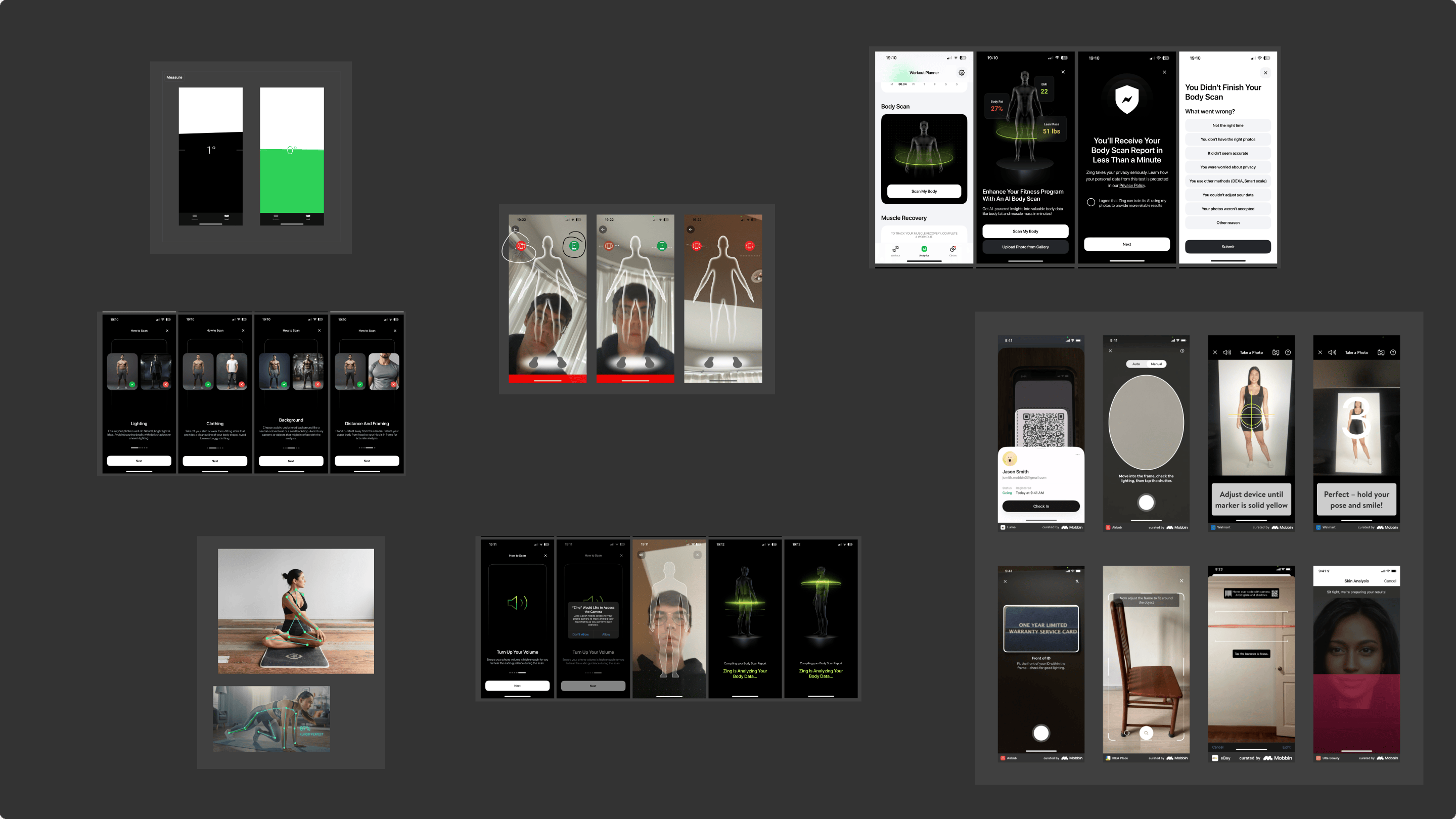
Based on the problematic steps, I also conducted competitor research to compare how similar scanning apps explain setup, camera placement, and real-time guidance.
Current flow review
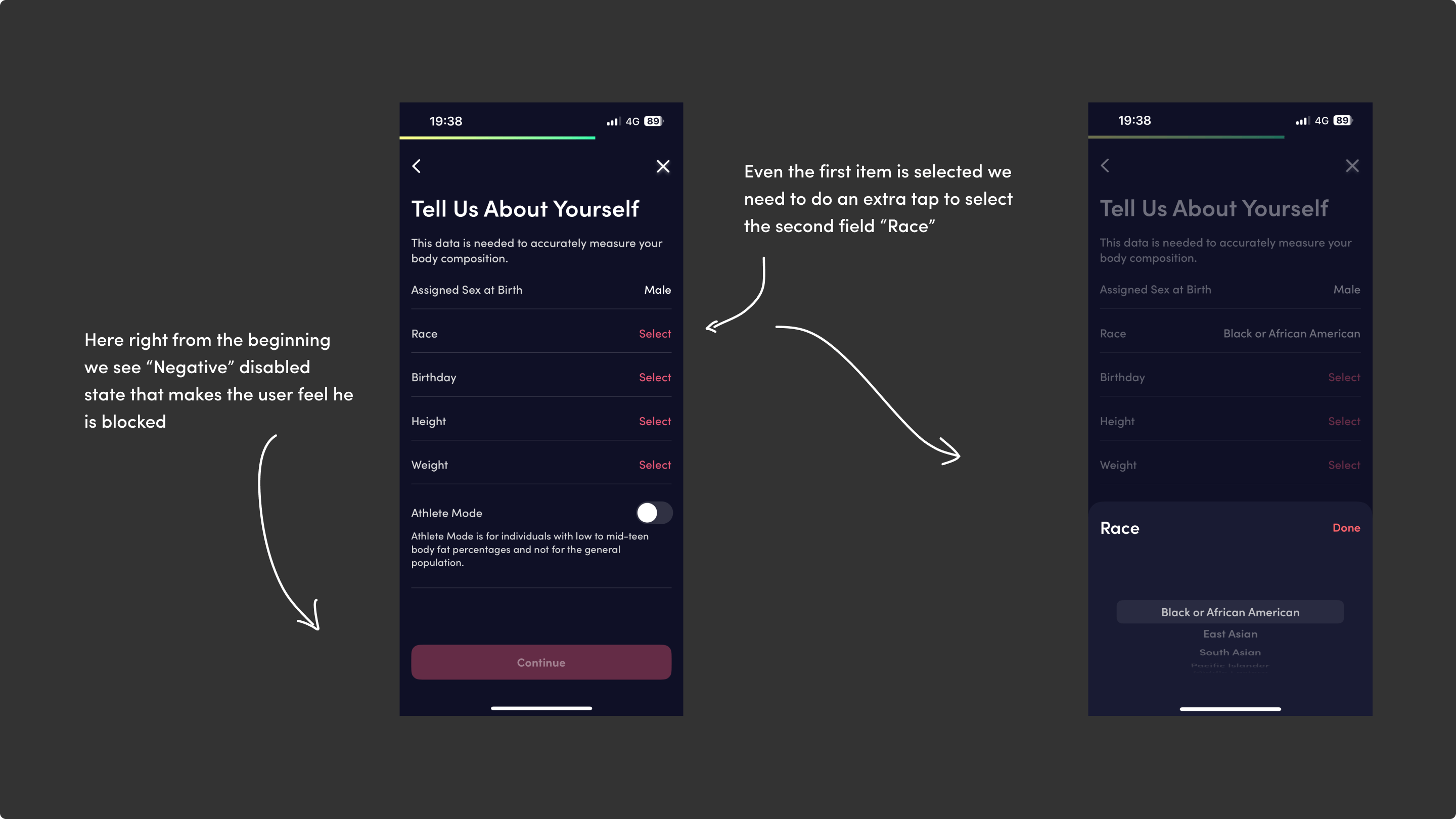
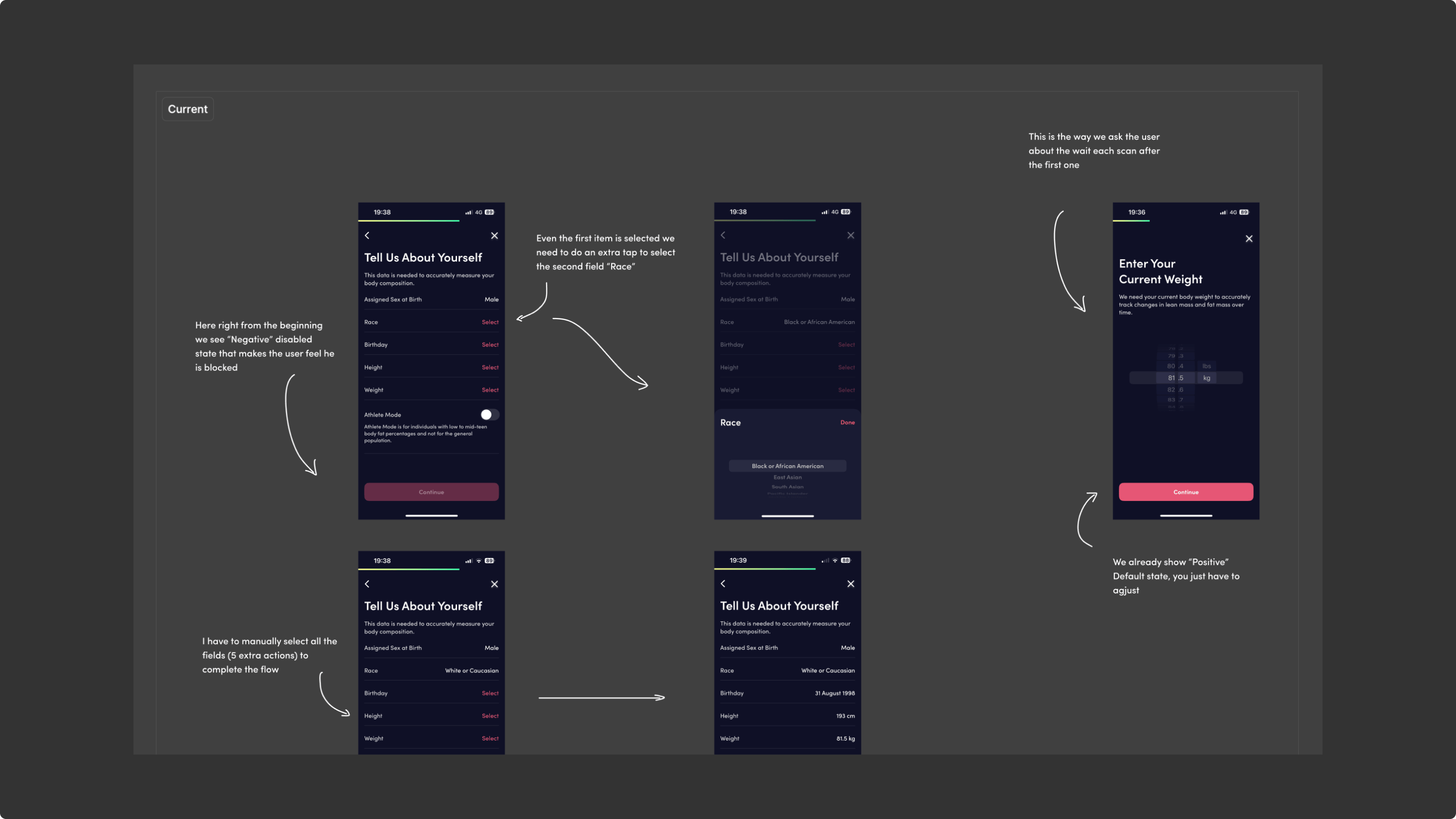
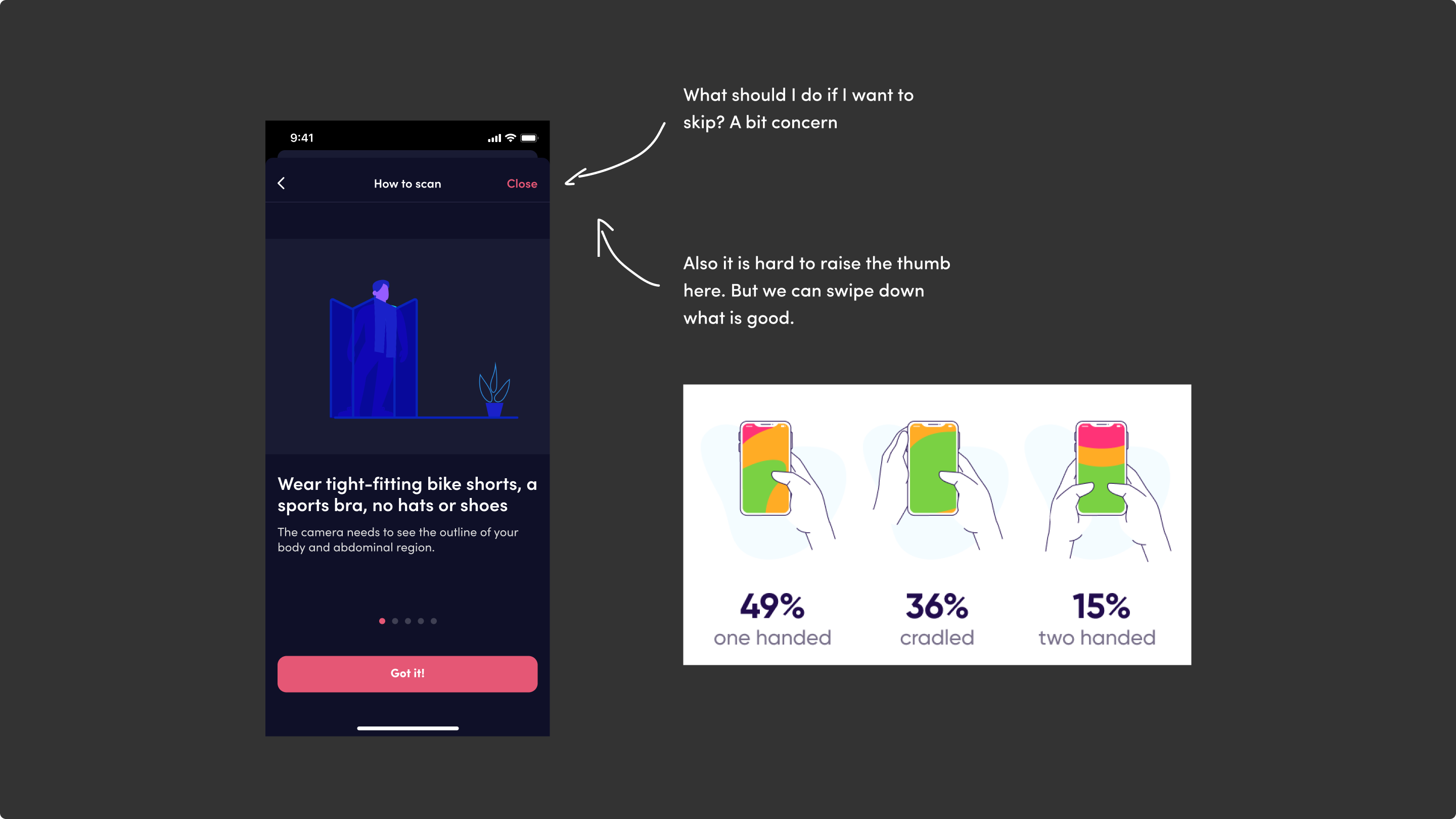
I’ve separately examined all the steps in the scan process and highlighted any potential issues that may arise when a user interacts with the interface.
Guide redesign
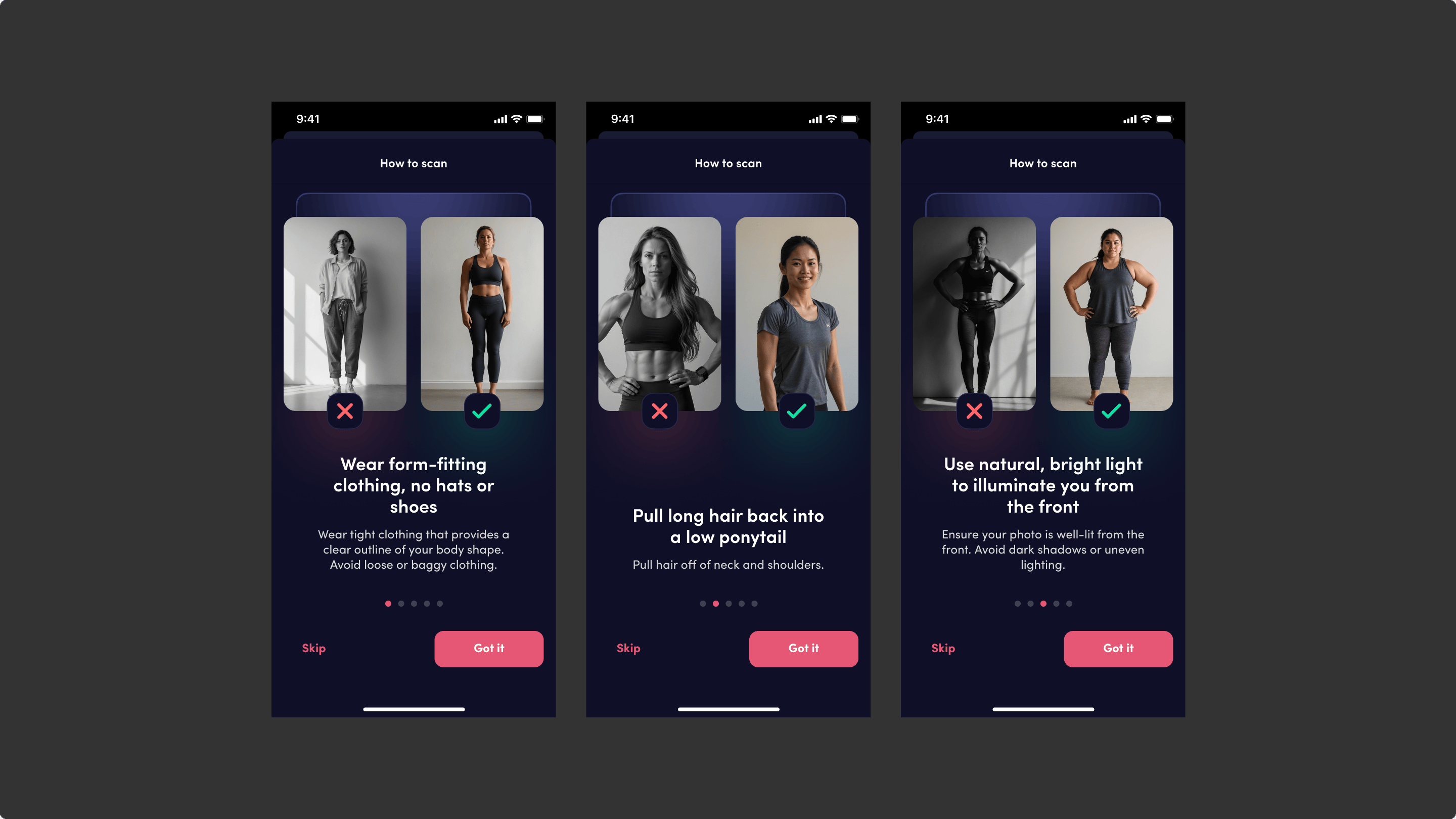
Make it smoother and easier to understand with the “do” and “do not” examples.
Flow states redesign
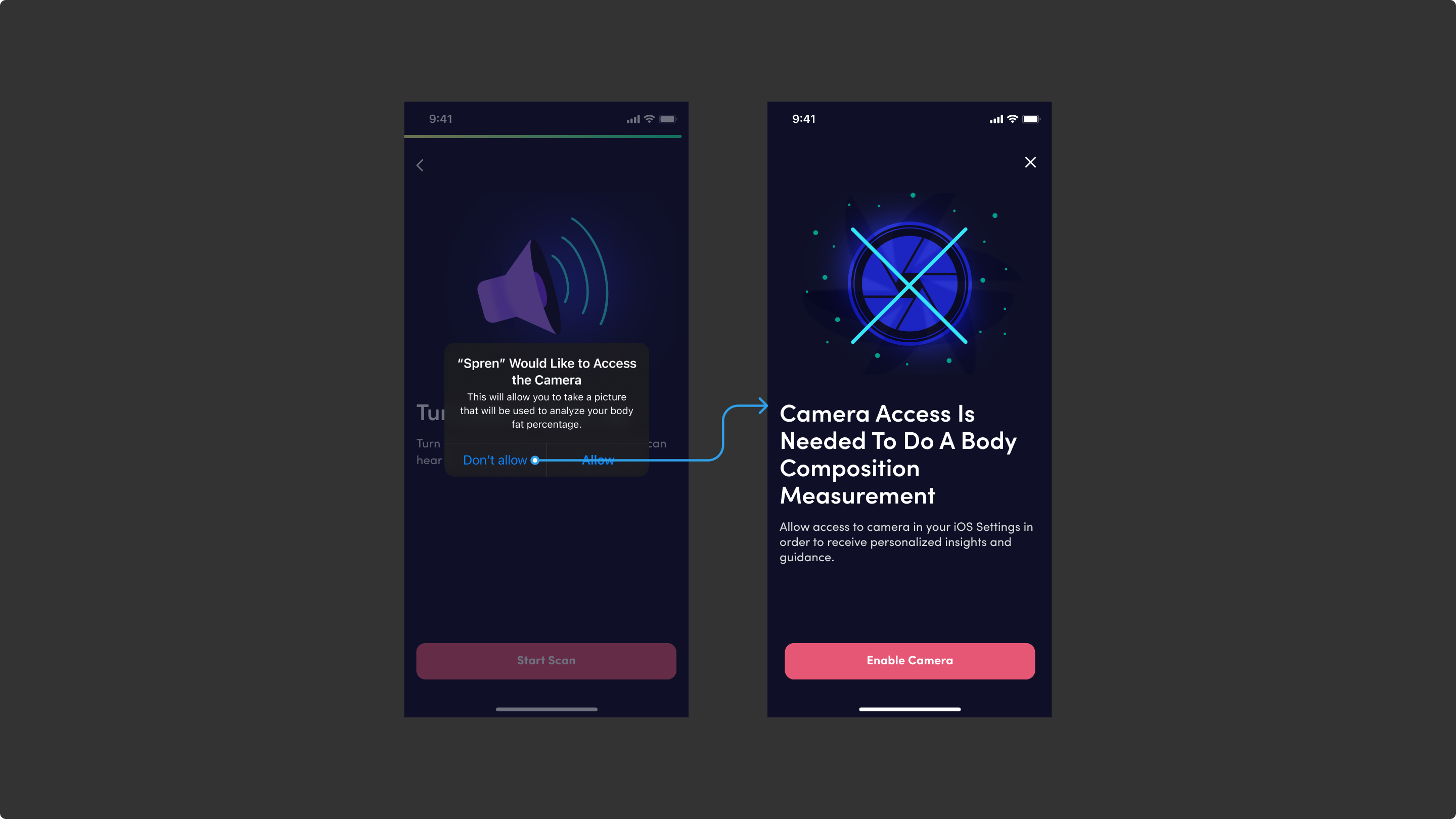
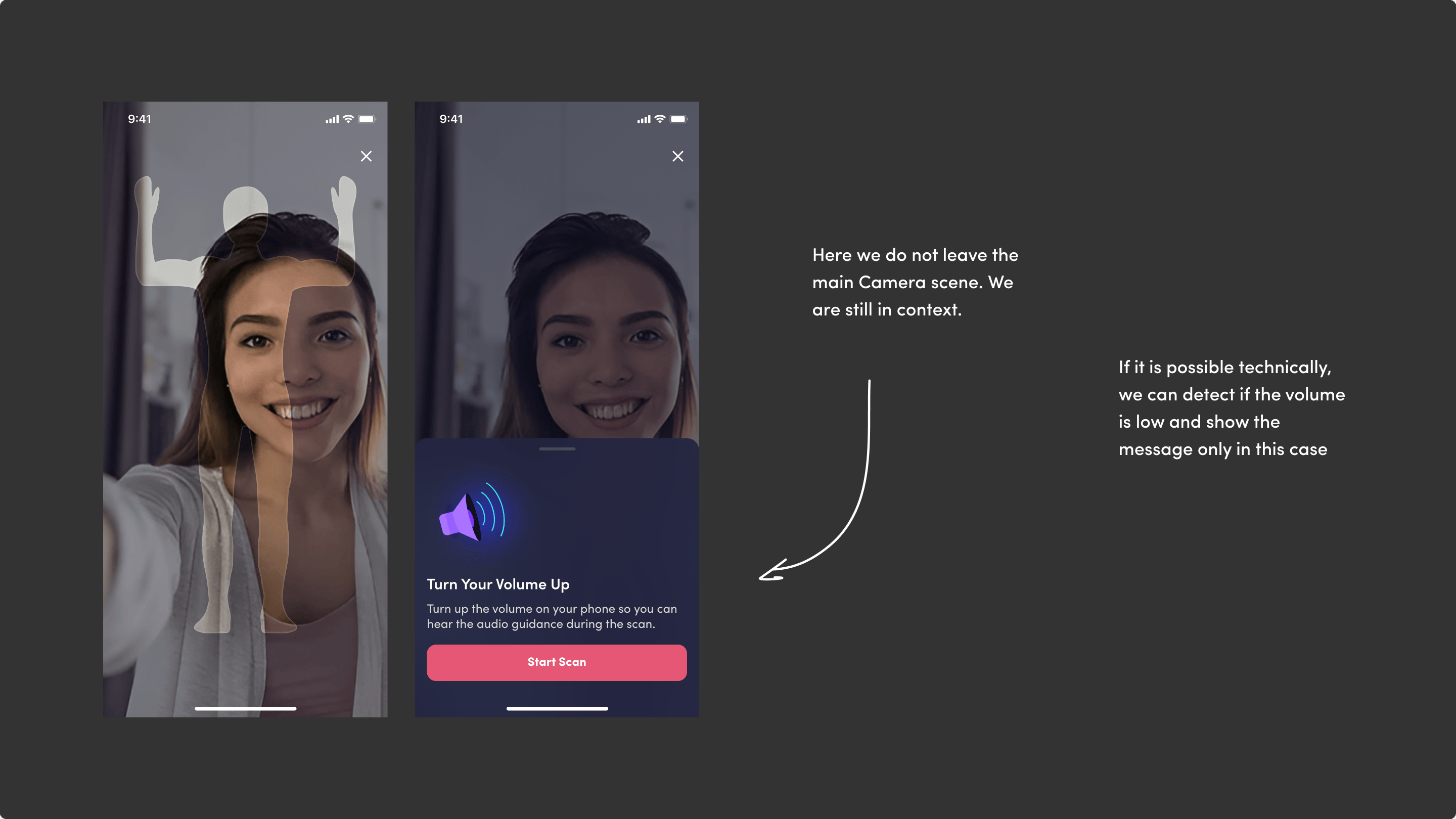
By displaying a person's overlay on a black
screen with camera access, we're already in the main
scan scene, where only one action is needed to unlock it.
We can recycle drawers with overlays in this scan scene,
offering a flexible solution for various scenarios.
For instance, these could include “Camera Access”
or “Volume is Too Low” notifications.
Flow alerts redesign
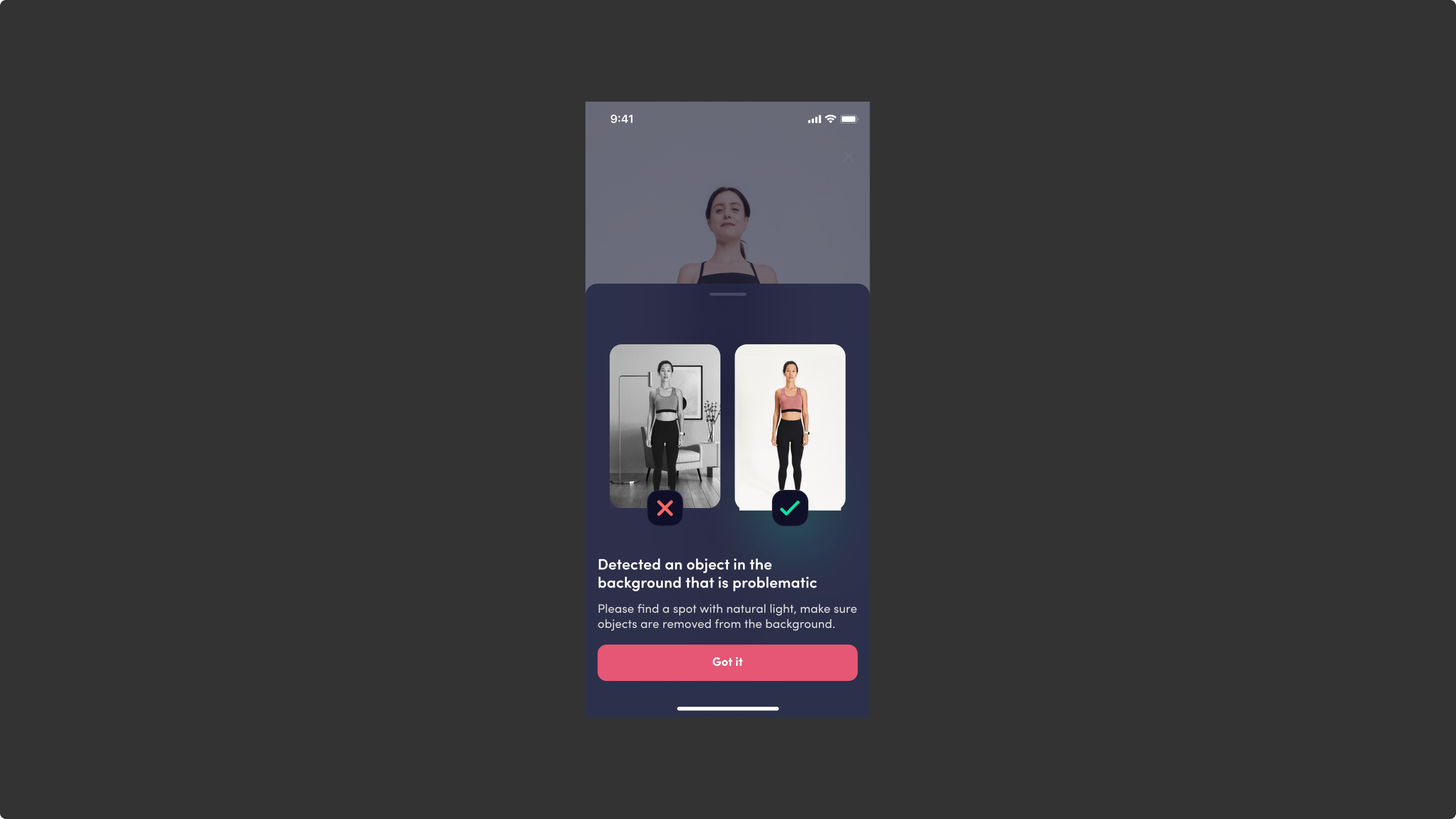
Also, during scanning, real-time issues may be displayed: detected problem objects, improper lighting, inappropriate clothing, etc.
Scan process redesign
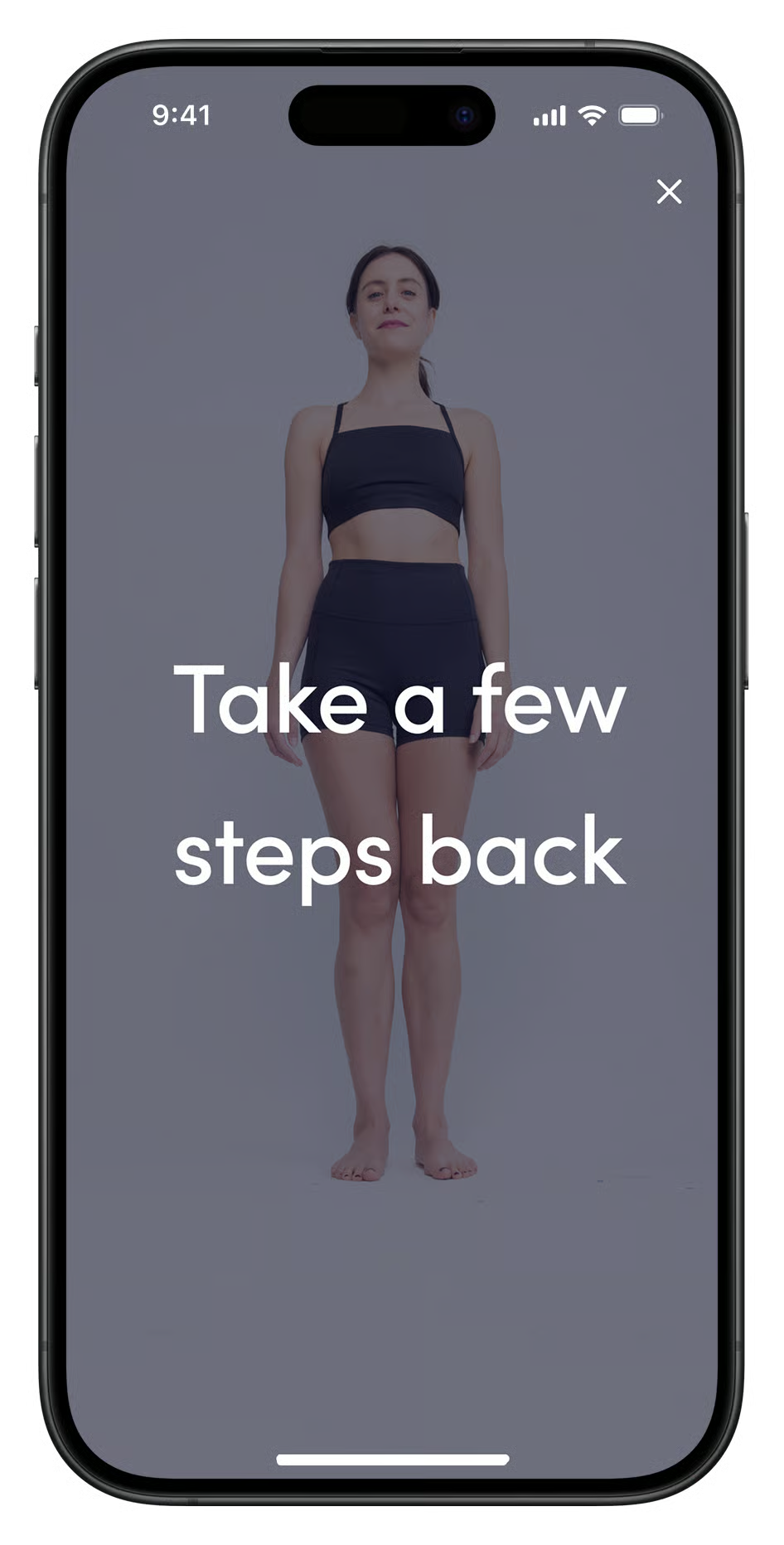
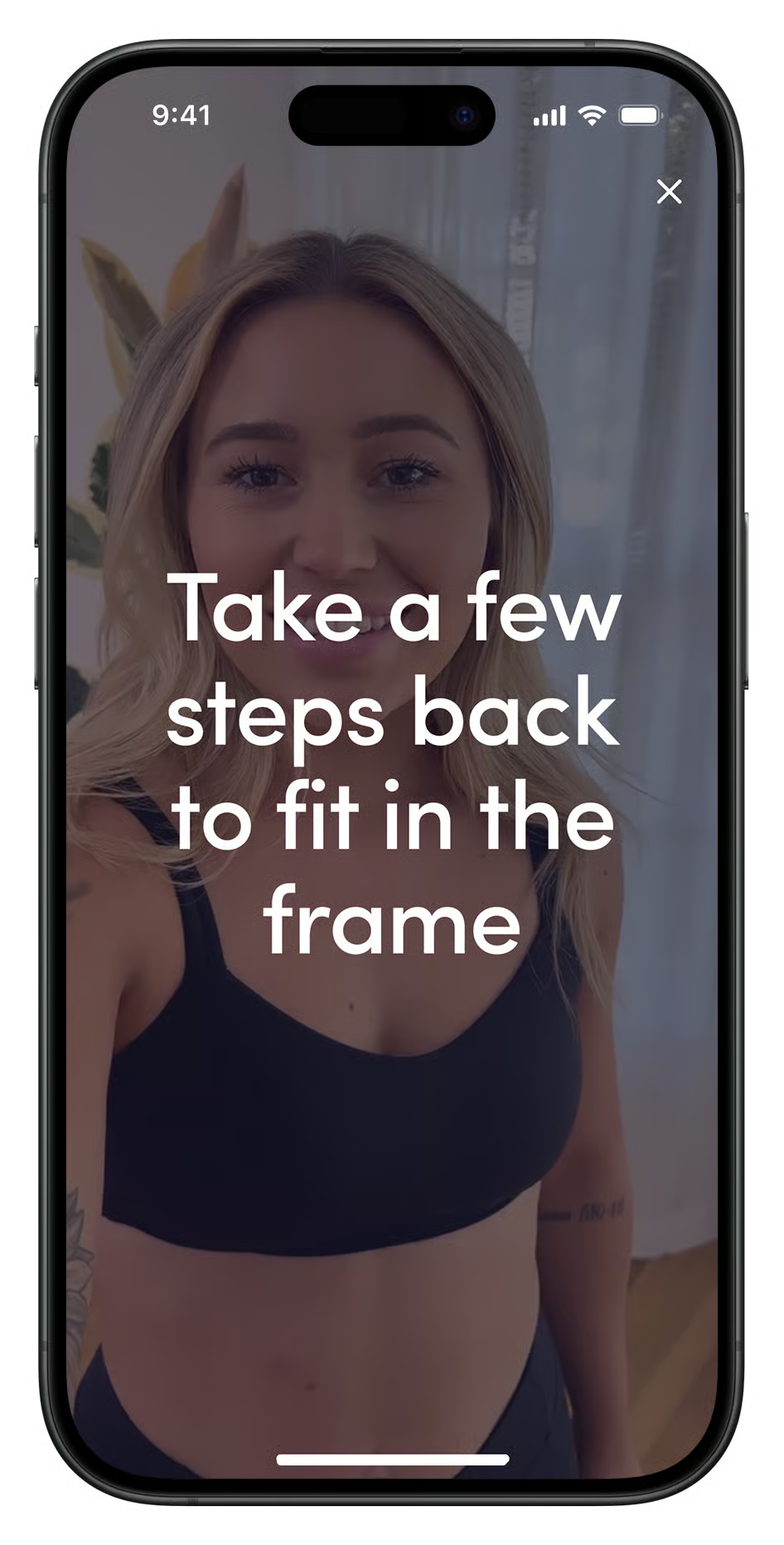
In this case, we don’t just display the message
“Take a few steps back.” We also provide a frame
that the user should fit into. This helps the user understand
the required distance from the device on the floor.
Moreover, there’s no need to overlay the person with
a non-opacity posture example. Instead, simply make
it half-opacity and apply a blend mode.
Health profile
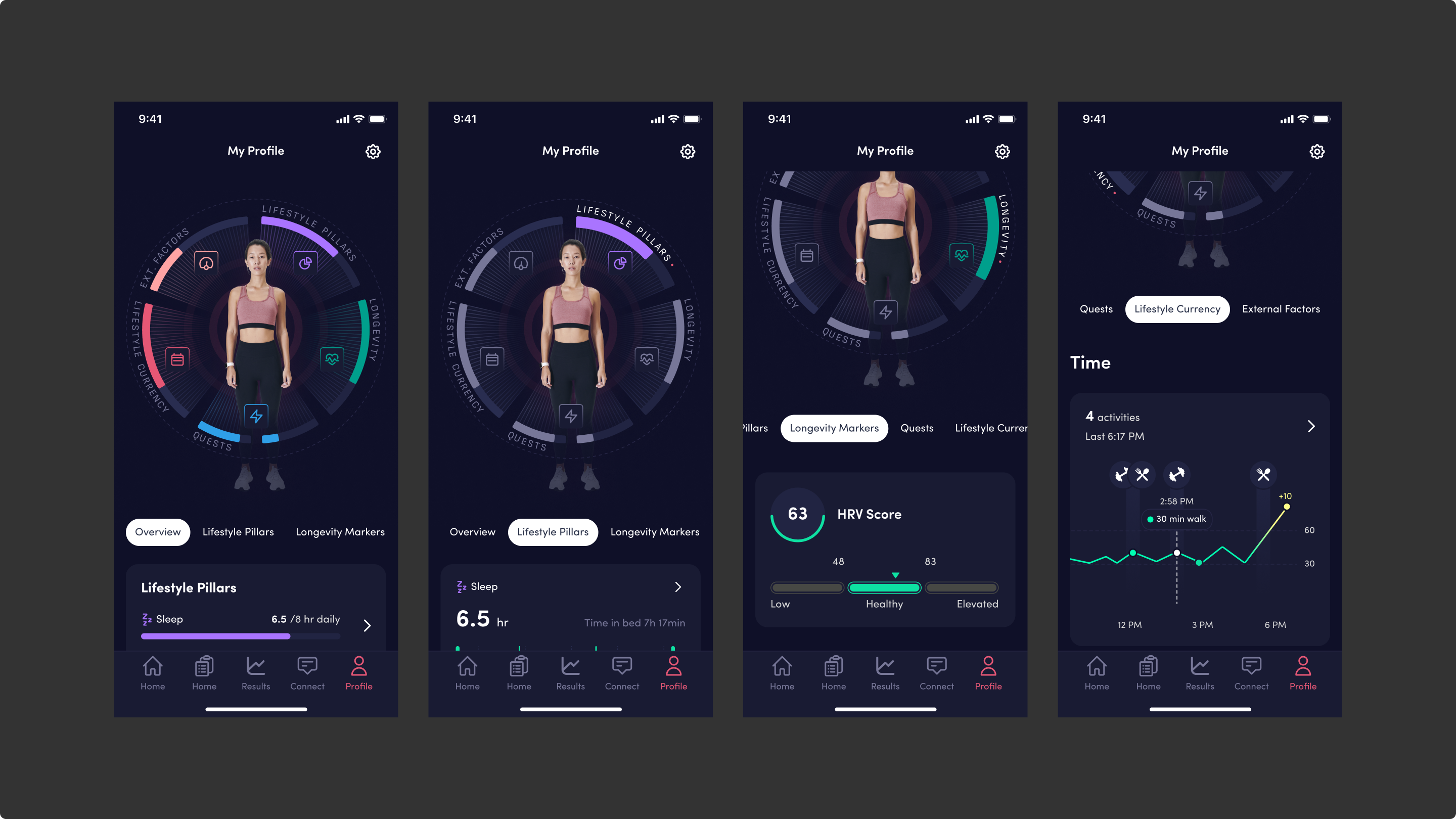
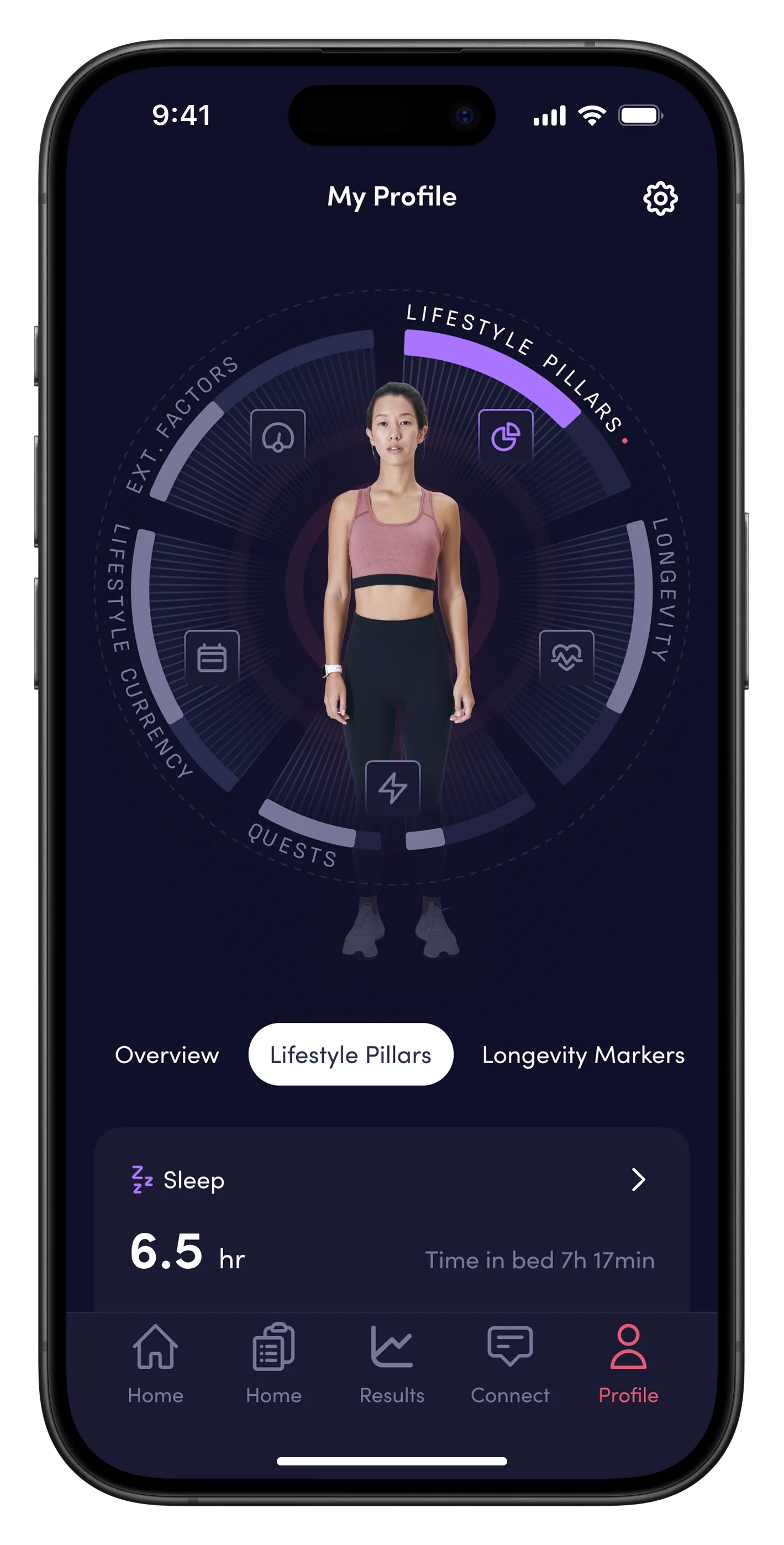
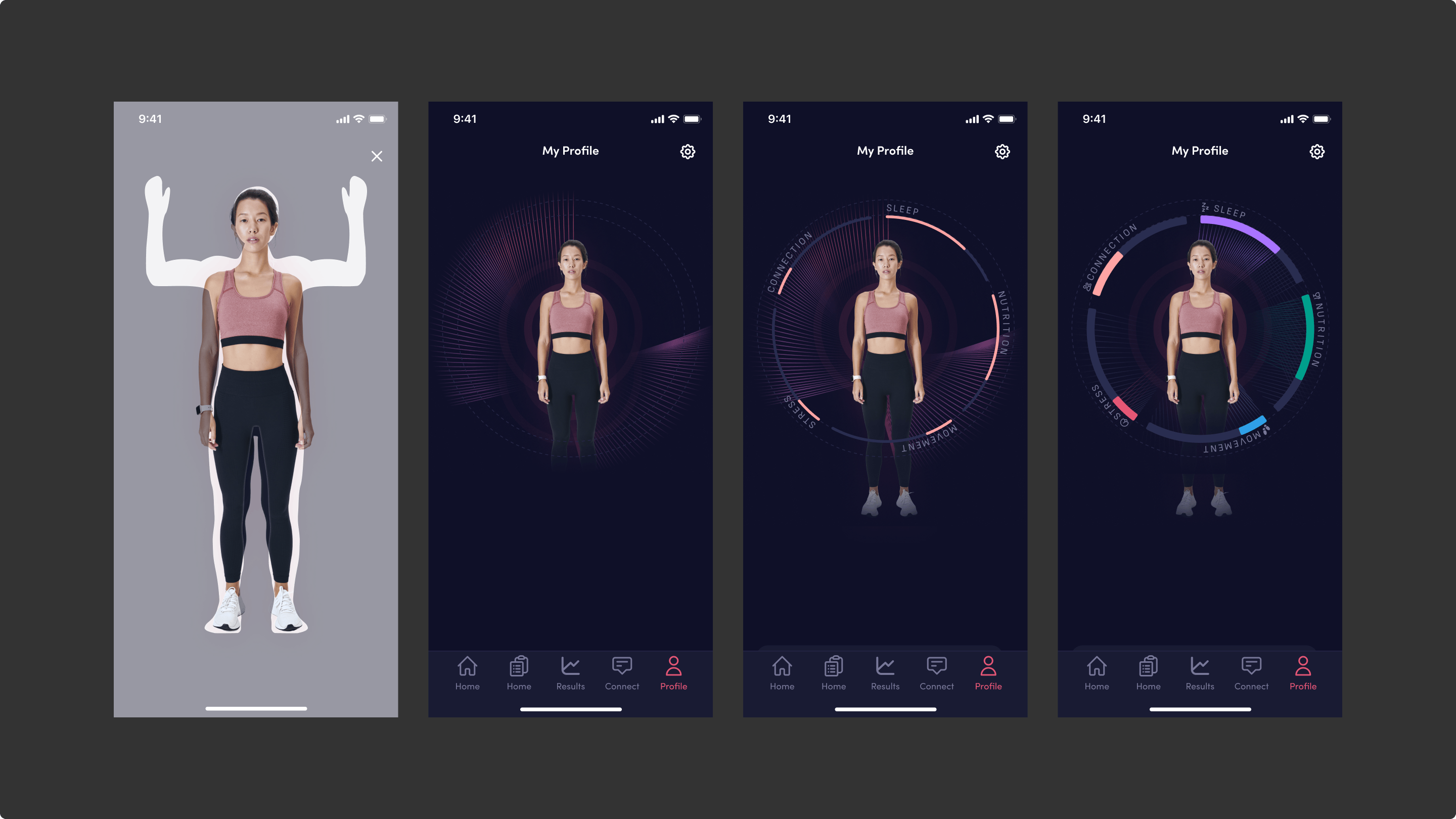
All parameters, along with their trends and warnings, are displayed below the chart in one consolidated health overview.
Research
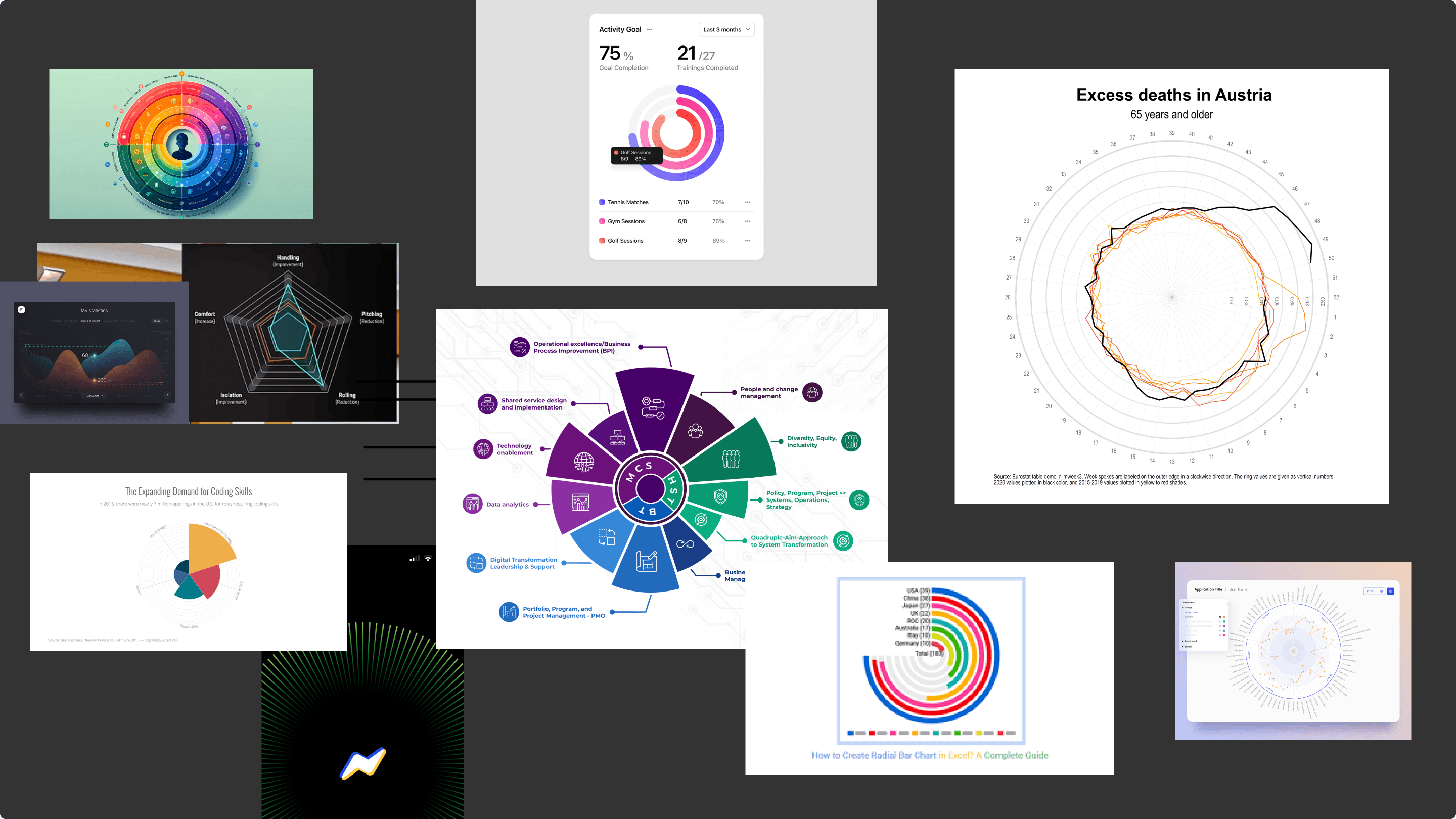
The idea beyond user’s overview is to show all user’s parameters on one view: his sleep, nutrition, exercise, stress level and other parameters to have all the overview at one glance. I have started with exploring possible solutions from references.
Concepts
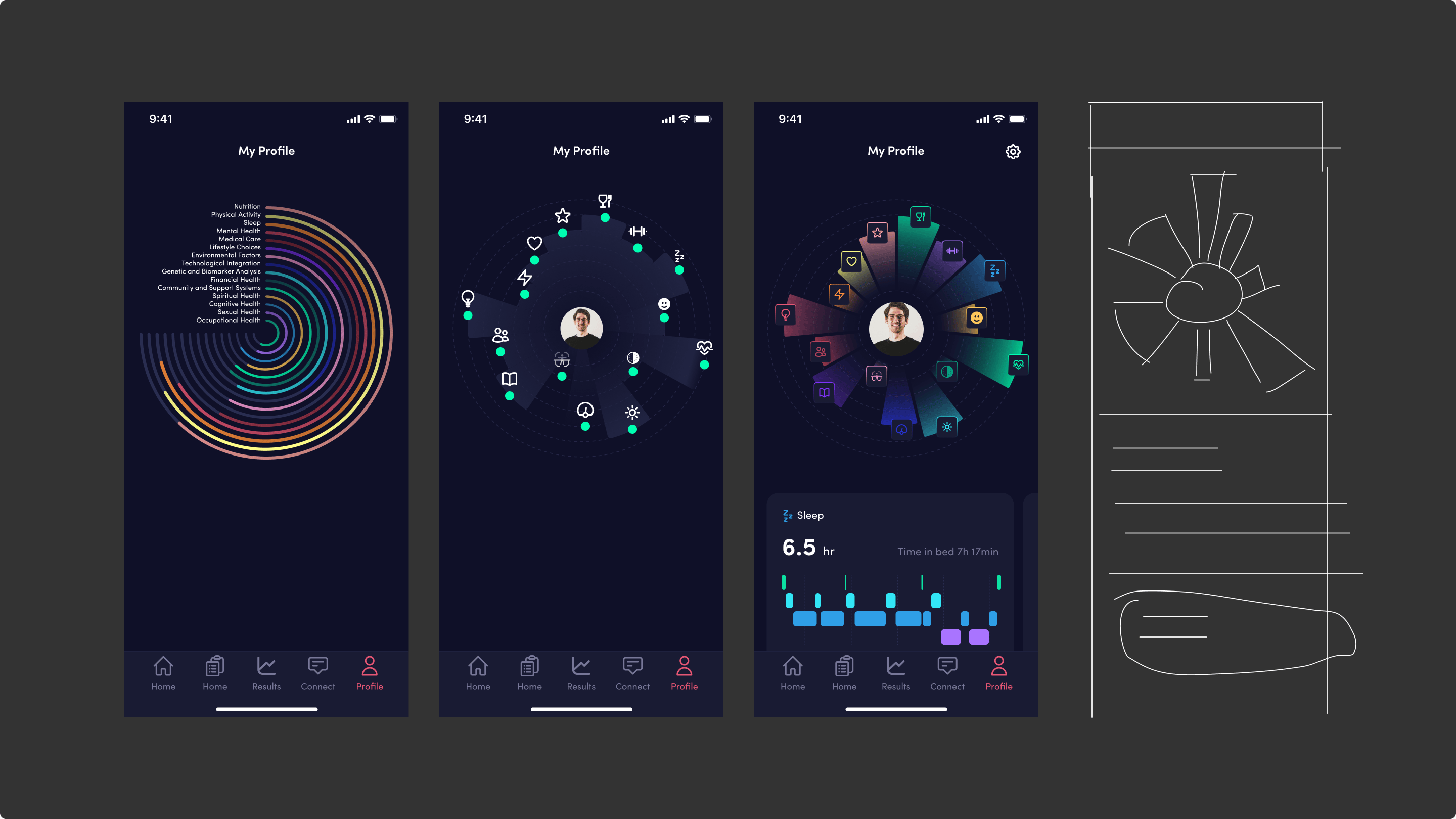
The first attempt was to try put all the parameters at the same time on the Circle chart. Here it was impossible to see the data properly and a chance of mistouch is very high. So the decision was to divide parameters on huge groups. The idea was to reuse the user we see on the Scan process in our 360º view. We can remove the background using AI and show the image without any background.
Final direction
We observe both tabs, which remain fixed at the top while scrolling, and a clickable chart. All parameters, along with their trends and warnings, are displayed below the chart. This setup makes the overview visually unique and easy to use and navigate.